Dynomotion

Group: DynoMotion Message: 10484 From: TKSOFT Date: 11/10/2014
Subject: KMotion/KFlop Test Version 4.33j Available

KMotion/KFlop Test Version 4.33j Available

KMotionCNC GCode Viewer Screen reopens automatically if previously open

Other bug fixes

For details see
http://www.dynomotion.com/Software/KMotion%20Released%20Version%204.33j%20Changes.pdf


Download here:
http://dynomotion.com/Software/KMotion433j.exe


Please report any issues.

Regards,

Dynomotion, Inc.


Group: DynoMotion Message: 10627 From: engnerdan Date: 12/2/2014
Subject: Re: KMotion/KFlop Test Version 4.33j Available
Tom, 
I think I found a bug, I noticed it with 4.33i and it continues into 4.33j. 

Here are the conditions
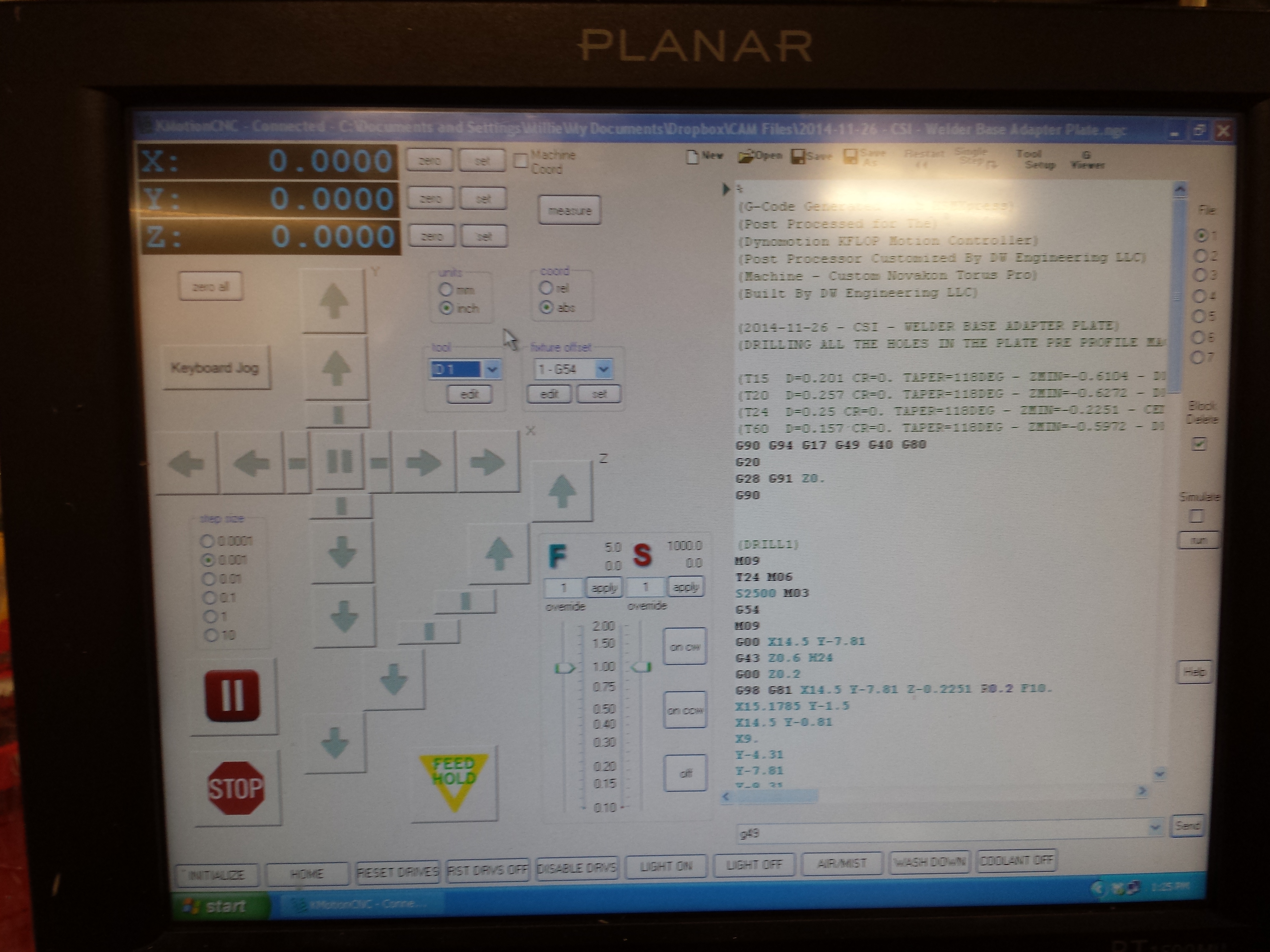
1. With the KFLOP (and Kanalog) powered up, 
2. KmotionCNC open and connected (communicating with the KFLOP) 
3. I click on the "edit" button for the tool table
4. I only look at the tool table, I do not change anything
5. I click "ok"

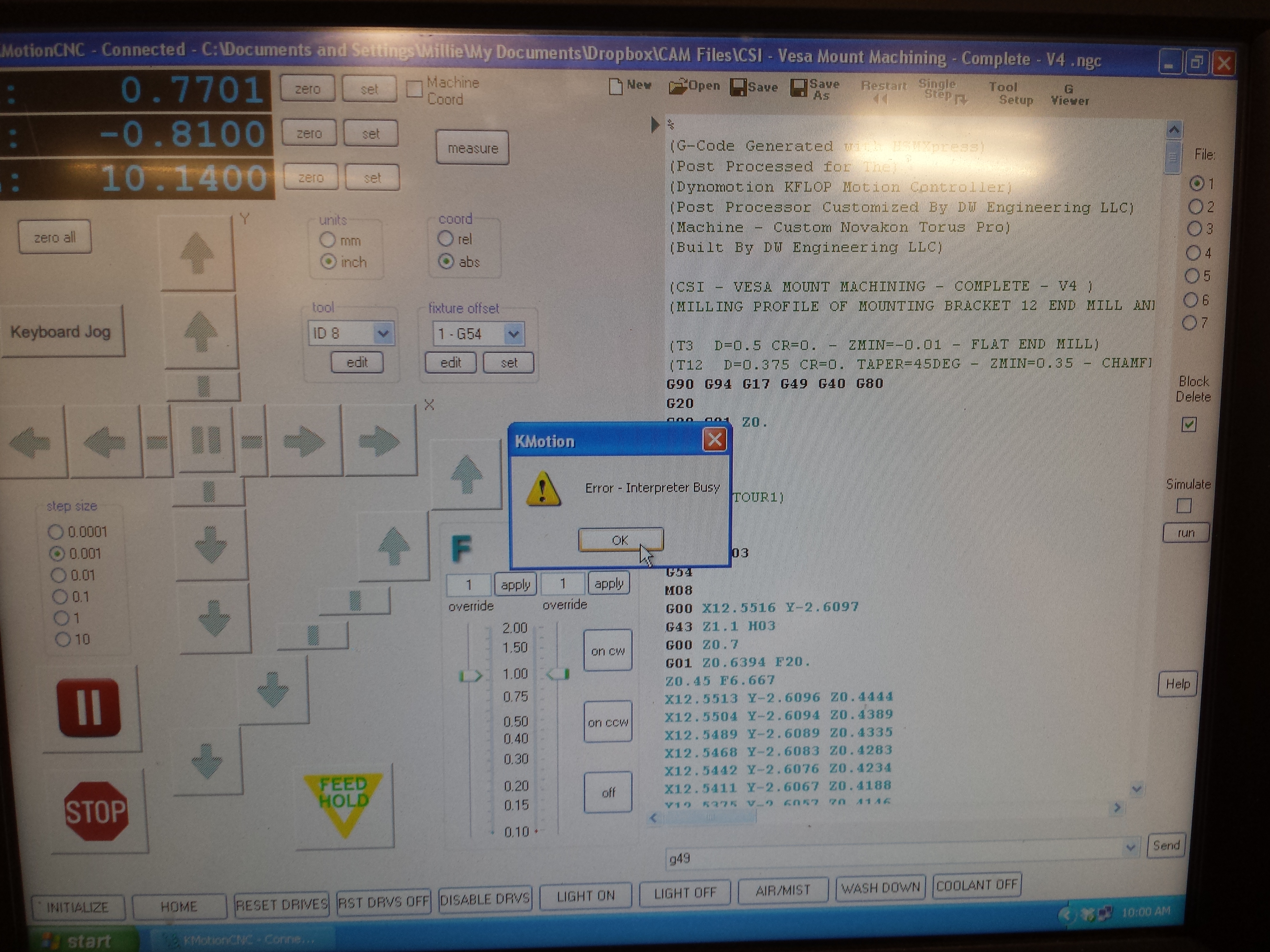
Then the jog buttons all gray out and KMotionCNC is busy processing something. In 4.33i I would eventually get an error that the interpreter is busy. Once the buttons are grayed out if I press the "halt" external button the grayed out buttons come back. 

Is the interpreter supposed to be applying the tool offsets (length for mill, Z and Y for lathe) to the DRO values? Maybe I am not thinking of all the situations but it seems to me like having the length offset applied when you select a tool from the tool table would be how things work. That is how it works with the work offsets. 

-Dan
  @@attachment@@
Group: DynoMotion Message: 10633 From: Tom Kerekes Date: 12/3/2014
Subject: Re: KMotion/KFlop Test Version 4.33j Available [2 Attachments]
Hi Dan,

After editing the Tool Table an TnnnnM6 is issued to the Interpreter to handle the case where a Tool ID or Slot was changed.

Do you have anything configured for M6 to do a Tool Change?

Regards
TK

Group: DynoMotion Message: 10639 From: Dan Date: 12/4/2014
Subject: Re: KMotion/KFlop Test Version 4.33j Available
M6 is configured as “Wait Bit” and I use my cycle start button (1033 and 1). I have never noticed this behavior before. Is this a new change?
 
Dan
 
Sent: Wednesday, December 03, 2014 6:41 PM
Subject: Re: [DynoMotion] Re: KMotion/KFlop Test Version 4.33j Available


Hi Dan,

After editing the Tool Table an TnnnnM6 is issued to the Interpreter to handle the case where a Tool ID or Slot was changed.

Do you have anything configured for M6 to do a Tool Change?

Regards
TK
 
Group: DynoMotion Message: 10646 From: Tom Kerekes Date: 12/5/2014
Subject: Re: KMotion/KFlop Test Version 4.33j Available
Hi Dan,

It may be.  Some Users requested any changes to the Tool Table to be applied immediately so we invoke a TnnnM6 to have it take effect in the Interpreter.  That way the Tool ID, Slot, length Offsets, Tool Image, DROs, etc... all reflect the current values without having to do a manual MDI M6.  But I believe this behavior existed for some time.  I see that causes problems in your case.  We are open for ideas.  I suppose this could be yet another option.  There also was an issue where an embedded "Wait" with no motion was not always handled correctly.  This may be why it wasn't an issue earlier.

I suppose we could check if anything with the selected Tool Changed and if so only then perform the M6.

The "Wait Bit" command probably isn't the best way to pause for a tool change.  That was intended to be used for pauses in embedded motion with real time response.  You might just use a C Program that waits for an input.  That way you could test to see if the same Tool was selected and only wait in that case.  Possibly display a message of what tool to load and whether to wait or not?  If that would make sense in your application.

Regards
TK


Group: DynoMotion Message: 10676 From: Dan Date: 12/16/2014
Subject: Re: KMotion/KFlop Test Version 4.33j Available
Tom,
Sorry I have been extremely slow on replying. Free time for tinkering has been none existent.
 
If this is the way the KFLOP works, so be it. Its not the end of the world for me. I just thought it was a “bug” and I should let you know. It actually does not come up often but is something I noticed recently (weeks ago now).
 
To your comment about using a C program to “handle” tool changes, I have been thinking about doing exactly that to make it more obvious I am to change the tool and which tool I am to change to. I noticed a example C program called “KFLOPManualToolChange.c” program. There is no documentation at the beginning of the program to describe its true intent, so I am not 100% sure what it does. But giving it a quick look over, it appears to give the user a message box telling them what tool to load. If that is the case, then I will change to use that.
 
Ultimately I am planning on building a automatic tool changer with its own C program and which will also take care of the problem.
 
Dan
 
Sent: Friday, December 05, 2014 12:46 PM
Subject: Re: [DynoMotion] Re: KMotion/KFlop Test Version 4.33j Available


Hi Dan,

It may be.  Some Users requested any changes to the Tool Table to be applied immediately so we invoke a TnnnM6 to have it take effect in the Interpreter.  That way the Tool ID, Slot, length Offsets, Tool Image, DROs, etc... all reflect the current values without having to do a manual MDI M6.  But I believe this behavior existed for some time.  I see that causes problems in your case.  We are open for ideas.  I suppose this could be yet another option.  There also was an issue where an embedded "Wait" with no motion was not always handled correctly.  This may be why it wasn't an issue earlier.

I suppose we could check if anything with the selected Tool Changed and if so only then perform the M6.
 
The "Wait Bit" command probably isn't the best way to pause for a tool change.  That was intended to be used for pauses in embedded motion with real time response.  You might just use a C Program that waits for an input.  That way you could test to see if the same Tool was selected and only wait in that case.  Possibly display a message of what tool to load and whether to wait or not?  If that would make sense in your application.
 
Regards
TK


Group: DynoMotion Message: 10678 From: Tom Kerekes Date: 12/16/2014
Subject: Re: KMotion/KFlop Test Version 4.33j Available
Hi Dan,

We are working on handling that better.  Possibly with a new option.

Yes that example should pop up an Message Box Prompting the Operator to load the Tool.

Let us know if you run into any issues with it.

Regards
TK